





Ever opened a website and seen "Not secure" next to the address? Or worse, a red warning page telling you to go back? Most visitors close the tab the moment they see that. The cause is almost always the same: the site doesn't use SSL yet, or its SSL certificate has a problem.
What is SSL?
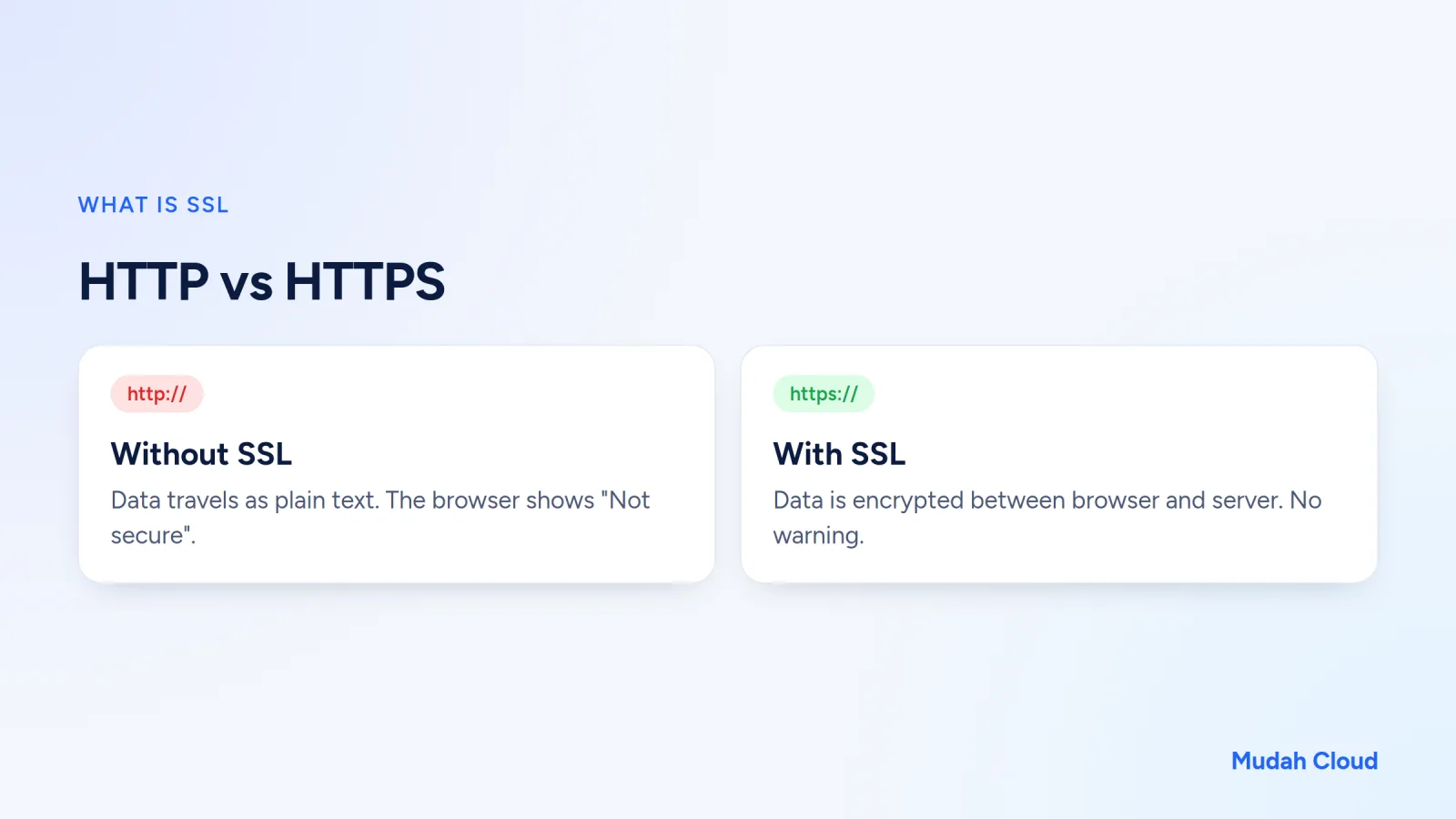
SSL stands for Secure Sockets Layer, a technology that encrypts the data traveling between a visitor's browser and the website's server. A website that uses SSL has an address starting with https:// instead of http://. The "s" stands for secure.
Strictly speaking, the original SSL protocol retired long ago. What's used today is its successor, TLS (Transport Layer Security). But the name "SSL" stuck, so hosting providers and certificate sellers still use it. When someone says "install SSL", they mean installing the certificate used for a TLS connection.
These certificates are issued by organizations called Certificate Authorities (CAs). Browsers keep a list of CAs they trust. If your site's certificate comes from a CA on that list, the browser loads the page without any warning.
How it works, the simple version
Imagine sending a letter with your bank account number through a courier. Without SSL, there's no envelope. Anyone the courier passes can read it. With SSL, the letter goes into a locked box, and only you and the recipient have the key.
In practice, the process looks roughly like this:
- The browser contacts the server and asks for its certificate.
- The server sends a certificate containing the domain name and a public key.
- The browser checks that the certificate is valid, hasn't expired and matches the domain name.
- If everything checks out, the two agree on an encryption key, and the data is sent encrypted.
All of that happens in a fraction of a second. The visitor just sees a padlock icon, or simply doesn't see any warning.
Why small websites need HTTPS too
"My site is just a company profile, there are no transactions. Do I still need SSL?" We hear this question all the time. The answer is yes.
Browsers label it "Not secure"
Chrome, Firefox and Safari mark HTTP pages as not secure, especially when there's a form. Picture a prospective client of your design agency about to fill in the contact form and seeing that label. Their first impression drops on the spot.
Form data is still personal data
A contact form collects names, WhatsApp numbers and email addresses. A school enrollment form holds details about children. An online shop stores customers' home addresses. All of that deserves protection, even if it isn't a credit card number. For online shops it matters even more. Our article on how to build an online store covers what you need to prepare.
HTTPS is the search engine standard
Google said long ago that HTTPS is one of its ranking signals. The effect may not be dramatic, but there's no reason to hand your competitors a free advantage.
Modern features need HTTPS
Many browser features, such as location access for a store map or push notifications, only work on HTTPS pages. Some third-party services also refuse to connect to a site without SSL.
Types of SSL certificate
Every type of certificate gives you the same level of encryption. What differs is how thoroughly the CA checks who's applying.
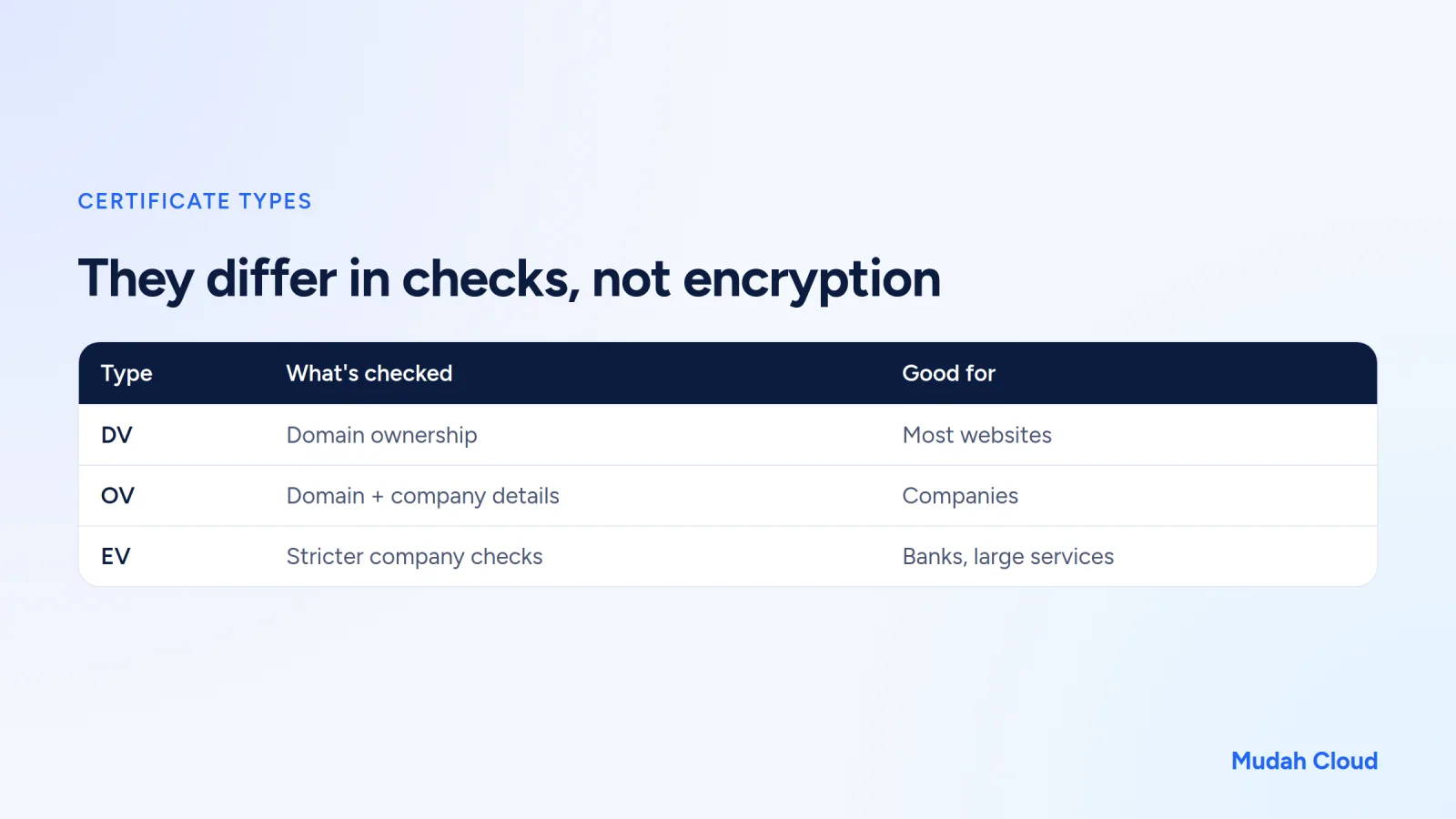
Domain Validation (DV) only confirms that you control the domain. The process is automatic and can finish in minutes. The free SSL certificates included with hosting plans are usually this type. For a business website, a school or a small online shop, DV is enough.
Organization Validation (OV) also checks the company's details. Extended Validation (EV) checks even more strictly. EV used to show the company name in green in the address bar, but modern browsers no longer display it prominently. So for UMKM (small and micro businesses), paying a lot for EV is rarely worth it.
There are also wildcard certificates (covering every subdomain, such as *.yourshop.com) and multi-domain certificates. These matter more for companies with lots of subdomains.
How to get and install SSL
For most websites, though, you don't need to buy a separate certificate. Modern hosting providers issue a DV certificate automatically as soon as your domain points to their server.
The key is in that last part: the domain has to point to the hosting already. If the nameservers haven't been changed yet or propagation isn't finished, the certificate can't be issued because the CA can't verify the domain. Follow the guide to pointing your domain to your hosting, wait for propagation, then check SSL. If nameservers are still a mystery, read what are DNS and nameservers first.
On Mudah Cloud Cloud Hosting, every domain in your hosting account gets a free SSL certificate that renews automatically. So you don't have to remember when it expires.
Common SSL problems
Oddly enough, complaints often show up after SSL is installed. A few cases we see a lot on small websites:
Mixed content. The page is on HTTPS, but some images or scripts are still loaded over http://. The padlock disappears or a warning appears. The fix is to change every old URL to https://. On WordPress, this often happens after a hosting move.
The site still opens over http://. The certificate is installed, but visitors who type the address without https aren't redirected. Turn on the HTTP to HTTPS redirect in your hosting settings or with a plugin.
The certificate doesn't match the domain name. For example, the certificate only covers yourshop.com, but visitors open www.yourshop.com. Make sure both are covered.
The certificate has expired. This usually happens with paid certificates that were installed by hand and then forgotten. Auto-renewing certificates rarely run into this, as long as the domain keeps pointing to the same server.
Does SSL make a website completely secure?
No. This is a pretty common misunderstanding.
SSL protects data while it travels between the browser and the server. It does nothing about a weak admin password, WordPress plugins that never get updated, or malware slipped in through a pirated theme. A site with a padlock in the address bar can still be hacked.
Scammers can install SSL too. A fake site imitating a well-known online shop can open over HTTPS without any warning, because a DV certificate only proves the site owner controls the domain, not that they're honest.
So treat SSL as the minimum, not a guarantee. You still need the other layers: strong passwords, regular updates, backups you can actually restore, and server-side malware protection. On Mudah Cloud cPanel and DirectAdmin hosting, for example, Imunify360 handles malware protection and JetBackup handles backups.
SSL checklist for your website
Before you call SSL done, check these:
- Your site opens over https:// with no warnings.
- Both the www and non-www versions are secure.
- Visitors who type http:// are automatically redirected to https://.
- There are no mixed content warnings on the home page, product pages or forms.
- The certificate renews automatically, or its expiry date is in your calendar.
If you're looking for a home for a new website, choose hosting that includes free SSL so there's no extra cost. Our article on what is hosting helps you pick a type, and how much a website costs gives you a sense of the budget.
Mudah Cloud Cloud Hosting includes free SSL on every plan, whether you choose cPanel hosting or DirectAdmin. If you'd rather not deal with anything technical, Mudah Cloud's ready-made websites are set up and maintained by our team on your own domain.
Comments
No comments yet. Be the first to ask or share your experience.