






Try counting how many times a day you copy data from one place to another. An order from a form gets copied into a spreadsheet, then announced in a WhatsApp group, then written down again in the cash book. Each step only takes two minutes, but with 40 orders, more than an hour goes on work a machine could be doing. That's where n8n comes in.
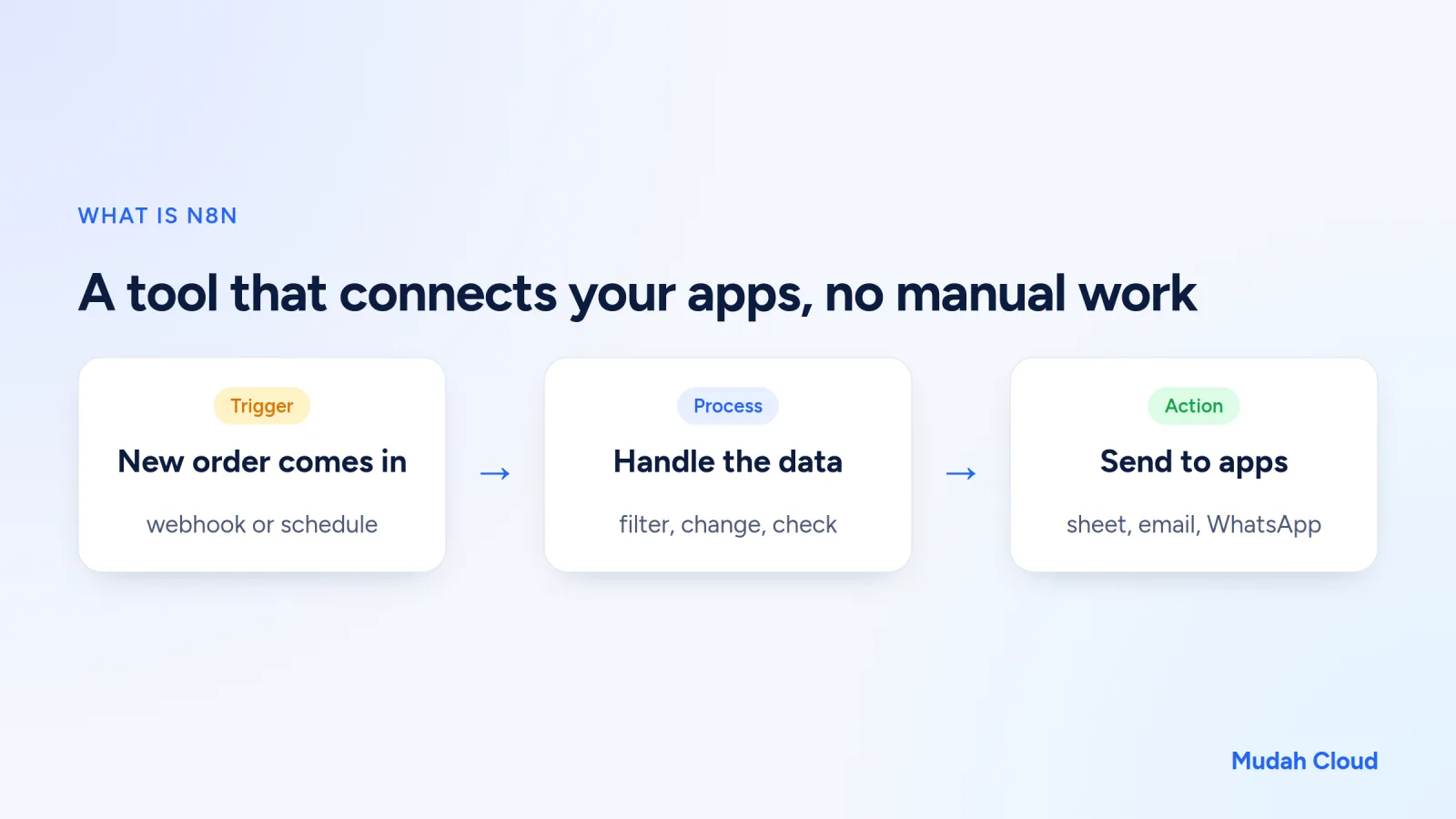
n8n is a workflow automation tool whose code is open. Its license is what n8n calls fair-code: anyone can read the code and use it free for their own business, though strictly speaking it isn't open source. You build flows on screen by connecting boxes called nodes, a lot like drawing a diagram. Each node does one job: receive data, process it, or send it to another app. The name is pronounced "n-eight-n", short for nodemation.
How n8n works
Every flow in n8n is called a workflow, and it always starts with a trigger. The trigger decides when the workflow runs. Two types get used most.
Webhook
A webhook is a special URL that n8n gives you. As soon as another app sends data to that address, say a form on your website or a payment notification, the workflow runs.
Schedule
Workflows can also run on a schedule: every hour, every morning at 7:00, or on the 1st of every month. Handy for regular reports and reminders.
After the trigger, you add the next nodes. There are ready-made nodes for Google Sheets, Gmail, Telegram, databases, and hundreds of other services. If the app you use doesn't have a node yet, the HTTP Request node can call any API. For more complex logic, there's an IF node for branching and a Code node for writing a little JavaScript.
n8n automation examples for business
Theory only goes so far. Here are a few things small business owners often build.
Cake shop orders logged automatically
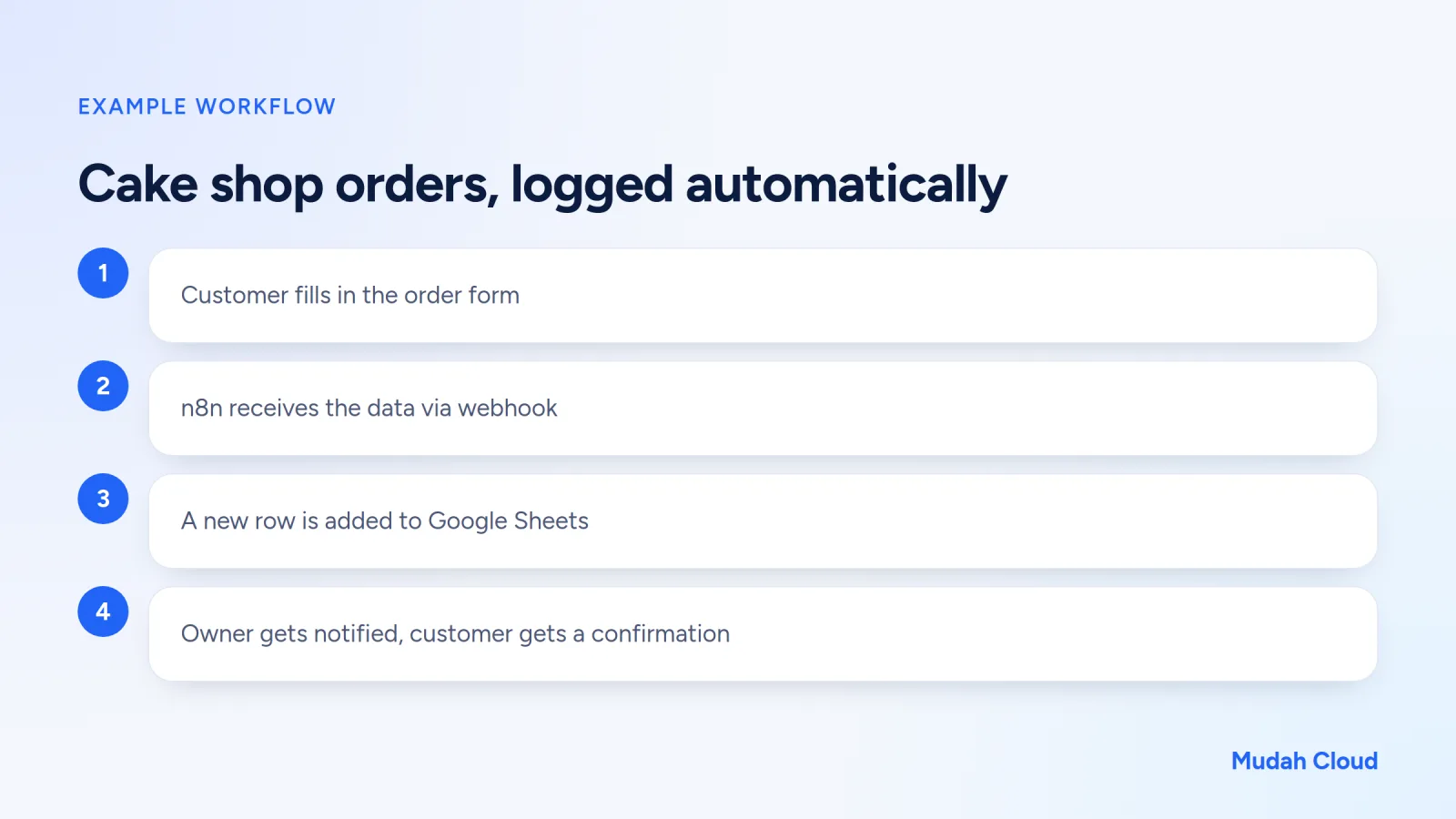
A cake shop in Palembang takes orders through a form on its website. With n8n, the form data is sent to a webhook and lands automatically as a new row in Google Sheets. Then the owner gets a notification with the customer's name, the type of cake, and the pickup date. No more orders getting lost in chat.
Due-date reminders
A car workshop or an AC servicing business can keep a customer list with each person's last service date in a spreadsheet. A scheduled workflow checks every morning, finds customers who haven't had a service in three months, and sends them a reminder by email or WhatsApp.
Automatic daily reports
Every evening at 9:00, n8n pulls that day's sales from the database or POS app, adds them up, and sends the owner a summary. No more waiting for the cashier to send a photo of the receipts.
Automatic WhatsApp replies
By combining n8n with WAHA (WhatsApp HTTP API), incoming WhatsApp messages can be passed to n8n, checked, and answered automatically. For example, a customer types their order number, n8n looks up the status, then replies. There's more on the official and unofficial options in what is WhatsApp API.
Adding AI to the flow
n8n can also call AI models. For instance, customer complaint emails can be summarised and labelled "shipping", "damaged product", or "question" before being forwarded to the right person. Because Mudah Cloud's AI Gateway is compatible with the OpenAI format, you can use it in n8n by filling in the base URL and API key. The steps for creating a key are in the guide to getting started with AI Gateway, and code examples are in how to use AI APIs.
n8n compared with Zapier and Make
If you've heard of Zapier or Make, the idea is similar. The differences are in how you use it and what it costs.
| n8n (self-hosted) | Zapier / Make | |
|---|---|---|
| Where it runs | Your own server or container | The provider's servers |
| Cost | Server rental, no per-task charges | Subscription, capped by tasks or operations |
| Data | Stays in your own instance | Passes through the provider's servers |
| Flexibility | Write code, call any API | Depends on available integrations |
For flows that run thousands of times a month, the difference in pricing models starts to show. With a per-task subscription, the more often your flows run, the higher the plan you need.
But n8n comes with trade-offs too. You need somewhere to run it, and someone has to make sure the instance stays up, stays updated, and keeps its data safe.
Where should you run n8n?
There are three common options.
First, install it on your own computer. Great for learning, but workflows stop the moment you shut your laptop. Webhooks from outside are hard to reach, too.
Second, install it on a VPS. You rent a server, install Docker, and set up the domain, SSL, and backups. Flexible, but it takes some Linux knowledge. If you're leaning this way, read what is a VPS first to understand what needs looking after.
Third, use a managed service. With Mudah Cloud's n8n Cloud Container, the team installs n8n and keeps it running. You get your own instance with its own resources, with plans of 1, 2, 4, or 8 GB RAM. Just log in and start building workflows.
What makes people give up usually isn't building the workflows. It's the server work behind them: a workflow that suddenly stops because the server ran out of memory, or an SSL certificate nobody renewed, so the webhooks fail.
Terms you'll run into a lot
Once you open n8n, a few terms keep popping up. It helps to know them from the start.
An execution is one run of a workflow. Every execution is logged, with the data going in and out of each node. If an order didn't make it into the spreadsheet, open the execution history and see which node failed.
Credentials are where you store access to other apps, like a Google account or an API key. Save them once and you can use them across many workflows without typing them again.
An expression is how you pull data from an earlier node. Say you want the notification to include the customer's name from the form: you write an expression that points to that name field. It sounds technical, but n8n has a drag-and-drop view, so you just drag the field you want.
An item is a single row of data. If there are 10 orders, n8n processes them as 10 items, and most nodes automatically do their job for each one.
Tips for getting started with n8n
- Start with the one job you repeat most often every day. Don't try to automate everything at once.
- Sketch the flow on paper first: what's the trigger, what data do you need, where does it go?
- Test with sample data. n8n shows the output of every node, so it's easy to see where things go wrong.
- Store credentials (API keys, Google accounts) with n8n's credentials feature, not typed straight into a node.
- Give every workflow a clear name, like "Web orders to Sheets", so you don't get lost as the number grows.
So, does your business need n8n?
Run through this list:
- Is there data-copying work you repeat every day?
- Do you use several apps that aren't connected to each other?
- Are there regular reports or reminders still being sent by hand?
- Do you want your automation data to stay in an instance you own?
If you answered yes to two or more, n8n is worth a try. Start with one simple workflow, see how much time it saves, then build up from there.
If you want to try it straight away without managing a server, have a look at the n8n on Cloud Container plans. For automation that involves WhatsApp, pair it with WAHA on the same account.
Comments
No comments yet. Be the first to ask or share your experience.