





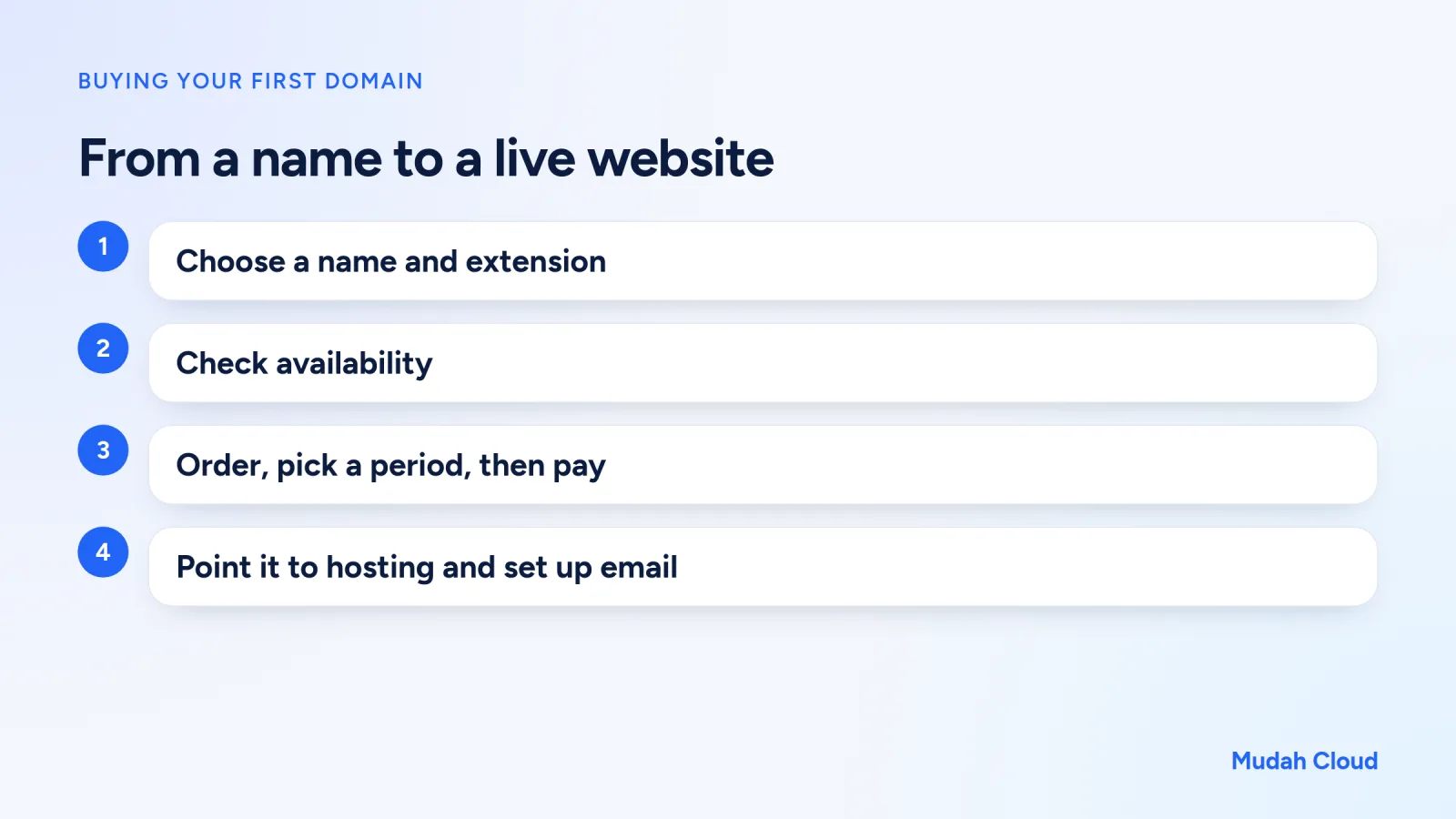
Buying a domain is really a ten-minute job. What takes time is deciding on the name. A catering business owner in Semarang once told us she spent two weeks arguing with her husband over the domain name, and when they finally agreed, someone had registered it three days earlier. So before the technical steps, it helps to talk about choosing a name first, then how to buy a domain from start to the point where you can actually use it.
Before you buy, understand what you're buying
A domain is an address, for example yourshop.com. You don't buy it forever. You rent the right to use it by the year through a registrar. As long as you keep renewing it, the domain stays yours.
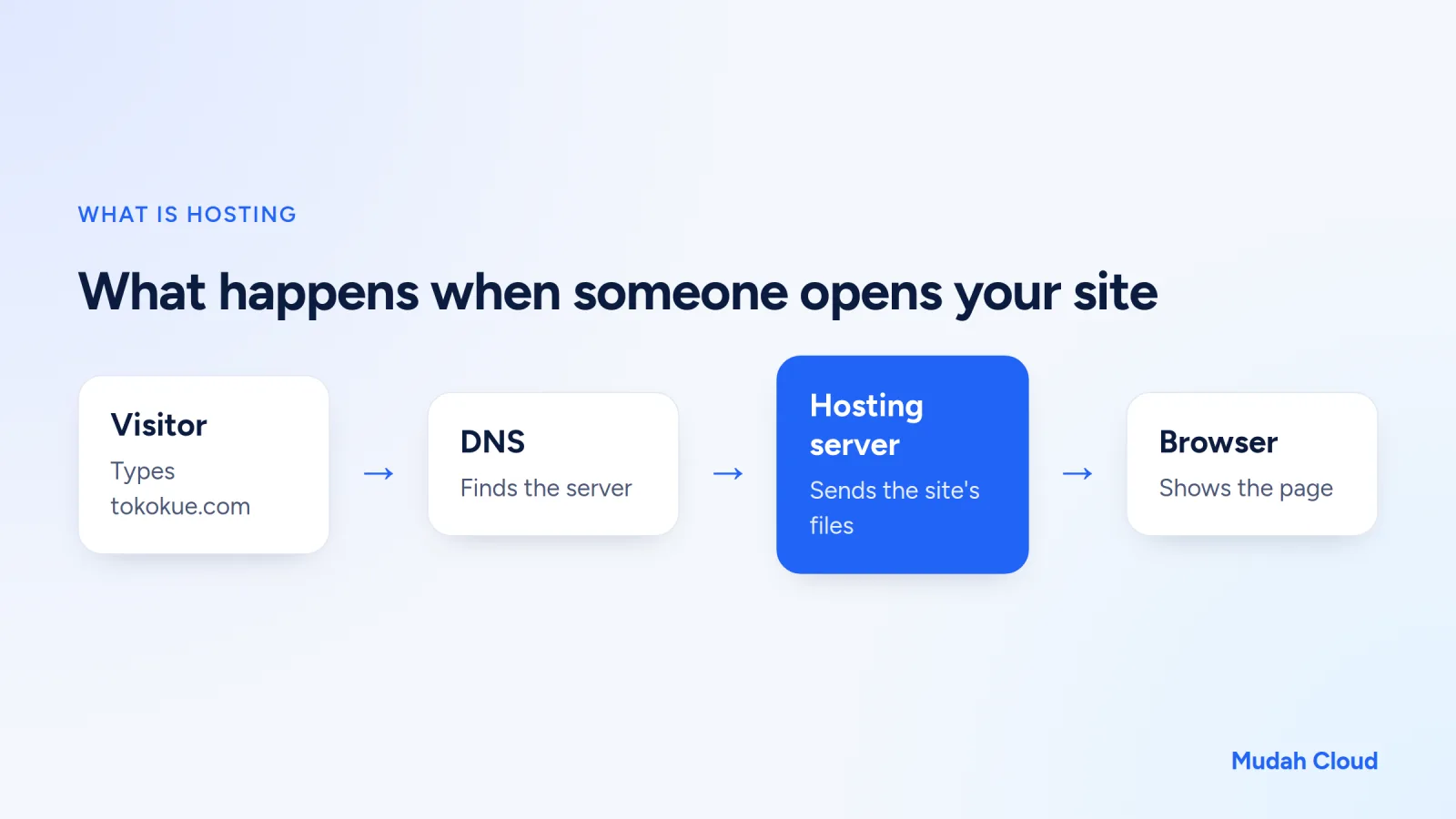
A domain is also not a website. To have a website, you need a domain plus somewhere to store the website files, which is hosting. If the difference is still fuzzy, our article on hosting vs domain explains it with an easy analogy. For now, just remember: you can buy the domain first and add hosting later.
Step 1: decide on a name
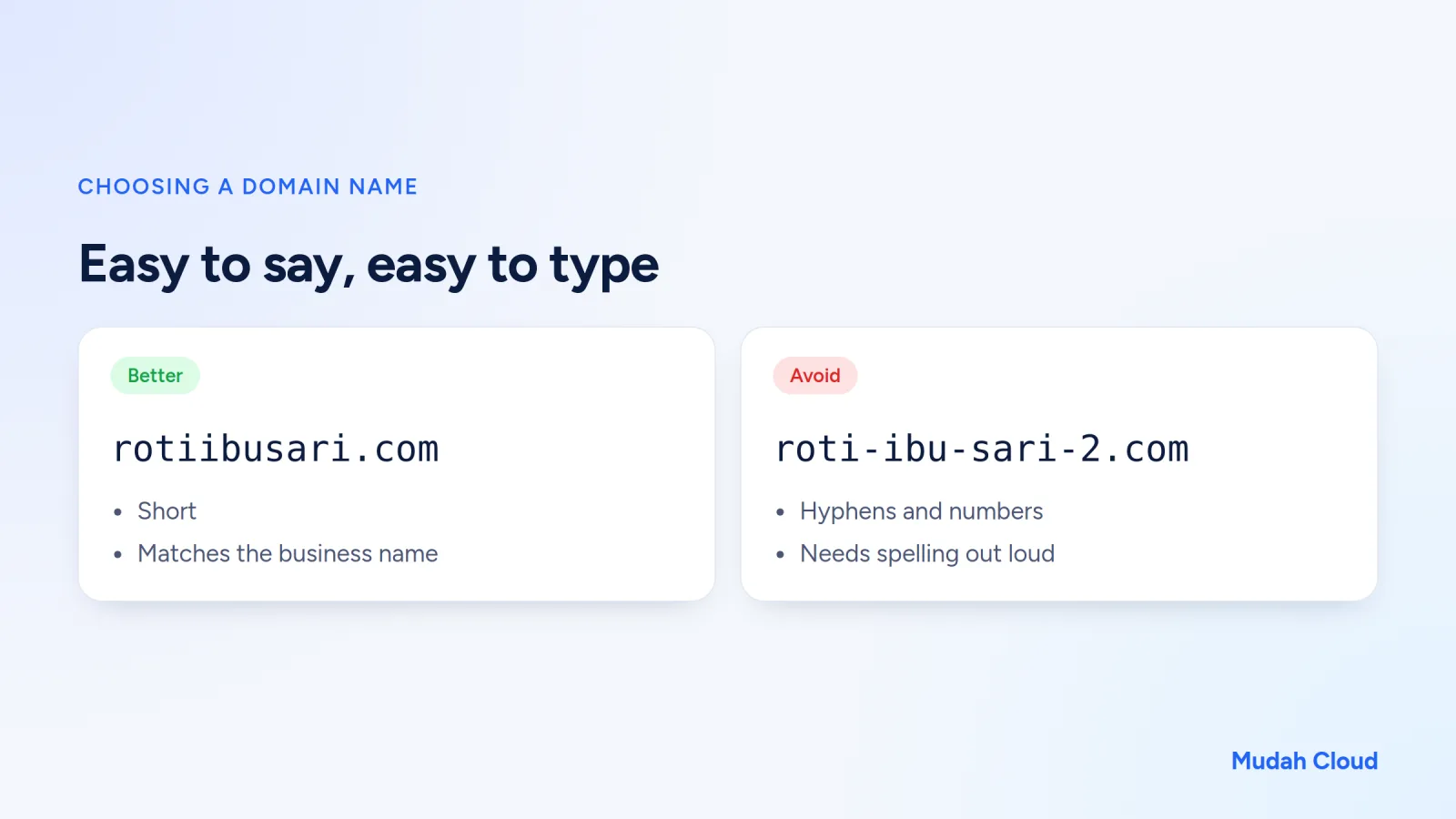
A good domain name is easy to say over the phone and easy to type without mistakes. Imagine telling it to a customer: if you have to spell it out letter by letter, the name is probably too complicated.
A few rules of thumb that usually help:
- Keep it short. Under 15 characters is much more comfortable, though not required.
- Avoid hyphens and numbers if you can, because people get them wrong ("with a dash or without?").
- Use the business name, not a product description that is too narrow. "rotiibusari.com" is more flexible than "rotitawaribusari.com" if one day you also sell cookies.
- Check whether the same name is already someone else's registered trademark. This saves you legal trouble later.
- Check whether the social media handles are free too, so everything matches.
Step 2: choose an extension
The extension is the part after the dot: .com, .id, .co.id, .my.id and so on. For a business whose customers are in Indonesia, .id and its variants are often a sensible choice. For international markets, .com is still the best known. The full comparison is in our article on .id vs .com domains.
One thing to watch: some .id extensions need documents for PANDI (the Indonesian domain registry). .id, .my.id and .biz.id can be registered without documents. .co.id needs a KTP (ID card) and an NIB (business registration number), plus a trademark certificate if the domain name matches a brand. .web.id needs a KTP or passport, .or.id needs a KTP and a deed or decree, and .sch.id and .ac.id need paperwork from the school or university. The full list is on the domain requirements page.
Step 3: check availability
Type the name you want into the domain search box. The result tells you whether the name is still available, already registered, or available under a different extension.
If it's taken, don't give up straight away. Try reasonable variations: add the city name ("rotiibusari-smg" reads badly, but "rotiibusarisemarang" is still fine), switch extensions, or use a more specific word. If the name really matters and the owner isn't using it, there is a backorder option that watches the domain and registers it for you if it is ever released, although the outcome isn't guaranteed.
Step 4: order and pay
At Mudah Cloud, the flow goes like this:
- Search for the name on the domain page, or in the client area open Services, then Domain Name, and click Order.
- Choose the extension and registration period. You can register for one year or more.
- Continue to the last step and tick the box to accept the Terms and Conditions.
- Pay the invoice that appears. If it's your first time, the guide on paying an invoice shows the steps.
- For extensions that need documents, upload them after ordering.
On price, a .com domain on the market generally sits in the range of Rp150,000 to Rp250,000 a year. Registration and renewal prices differ by extension, so look at the renewal price too, not just the first-year price. You can check the details on the domain price list.
Register for one year or several?
For a name you're still testing, one year is enough. But for a main business domain that will be printed on packaging, business cards and banners, registering two or three years at once lowers the risk of forgetting to renew. The extra cost is small compared with the hassle of losing a name your customers already know.
One small thing people underestimate: use an active email as the domain contact. Renewal reminders and other important emails go there. Plenty of expired domain cases happen simply because nobody ever read that inbox.
Step 5: connect the domain to hosting and email
Once active, your domain doesn't show anything yet. For a website to load, the domain has to point to your hosting. There are two ways:
- Change the domain's nameservers to your hosting's nameservers. This is the most common method, and afterwards all DNS records are managed from the hosting control panel. The steps are in the guide on pointing a domain to hosting.
- Keep the registrar's DNS and add an A record pointing to the server's IP address. This is handy if you want to manage the records yourself. See the guide on managing DNS.
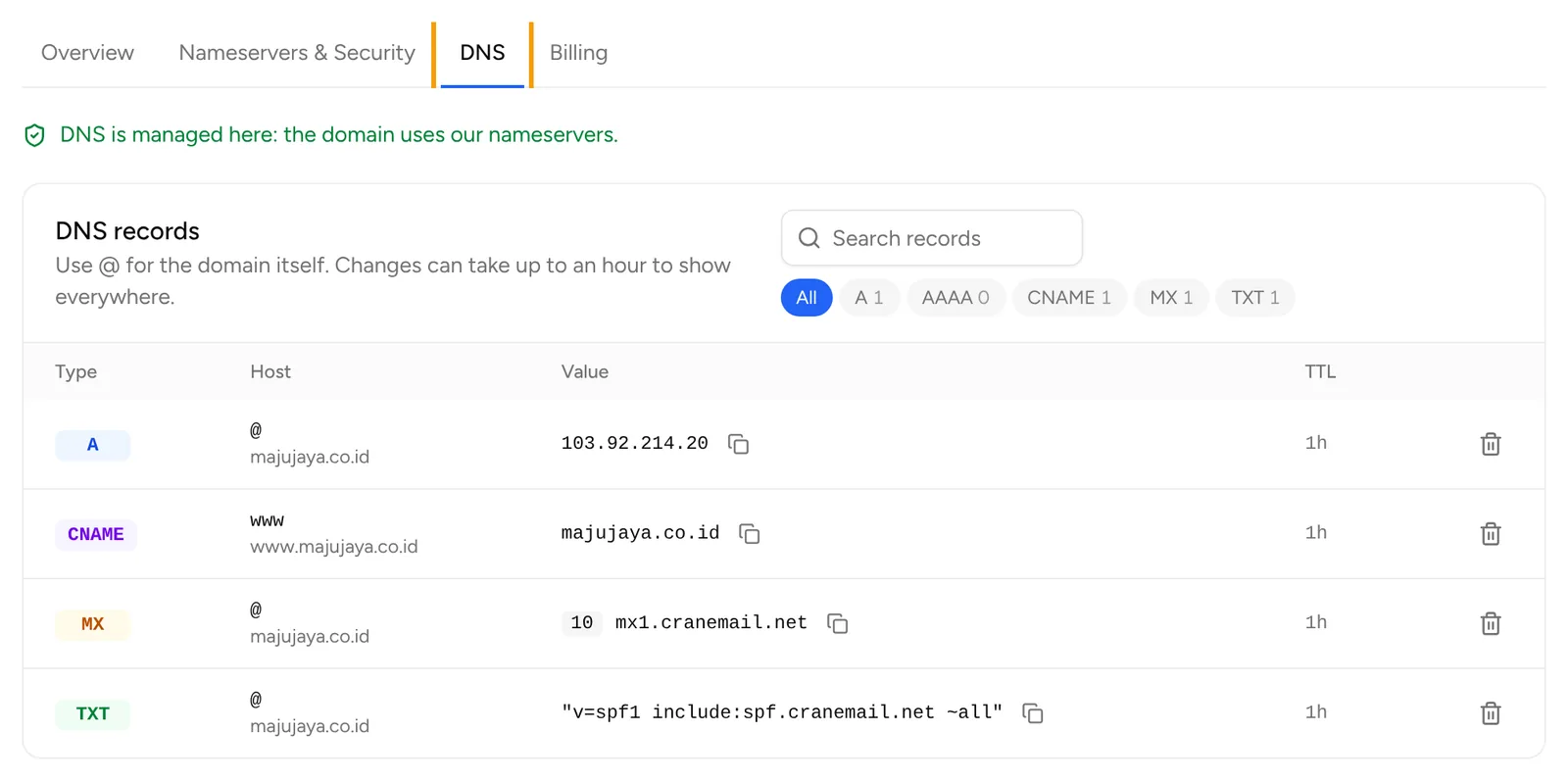
If nameservers and DNS records sound foreign, read what are DNS and nameservers first. Once you get the difference, this step feels far less intimidating.
Nameserver changes usually take up to 24 to 48 hours to apply across all networks. So don't panic if the website still won't open half an hour after you change them.
For email, you can create an address like orders@yourshop.com through cPanel or DirectAdmin hosting, or through a separate email hosting service. A step-by-step guide is in our article on how to create email with your own domain.
Common mistakes when buying your first domain
Registering the domain in someone else's name. For example, in the name of the freelancer who built your website. When the working relationship ends, getting access to the domain can become a problem. Make sure the account and owner details are in your name or your business's name.
Only looking at the first-year price. Some extensions are cheap in year one but renew at a much higher price. Always check both.
Buying too many domains at the start. Five name variations feel safe, but every one of them has to be renewed each year. Start with the one or two you'll actually use.
Waiting because you don't have a website yet. A good name can be taken at any moment. Buy the domain now, and the website can follow.
Checklist before you click pay
- You've said the name out loud and it isn't confusing.
- You've checked the spelling twice, including double letters.
- The extension fits, and if it needs documents, they're ready.
- The contact email is active and in your name or your business's name.
- You know the renewal price.
- You know which hosting you'll use, or at least when you'll set it up.
If everything is ticked, you can search for your name right away on the Mudah Cloud domain page. Need somewhere for the website as well? Cloud Hosting is managed from the same account, so your domain, hosting and invoices all live in one place.
Comments
No comments yet. Be the first to ask or share your experience.