






You've got a domain name, say bengkelmotorsejahtera.com. Then the question comes up: where do the website's files actually go? Not on your laptop, obviously, because you switch it off every night. That's where hosting comes in.
So what is hosting, really?
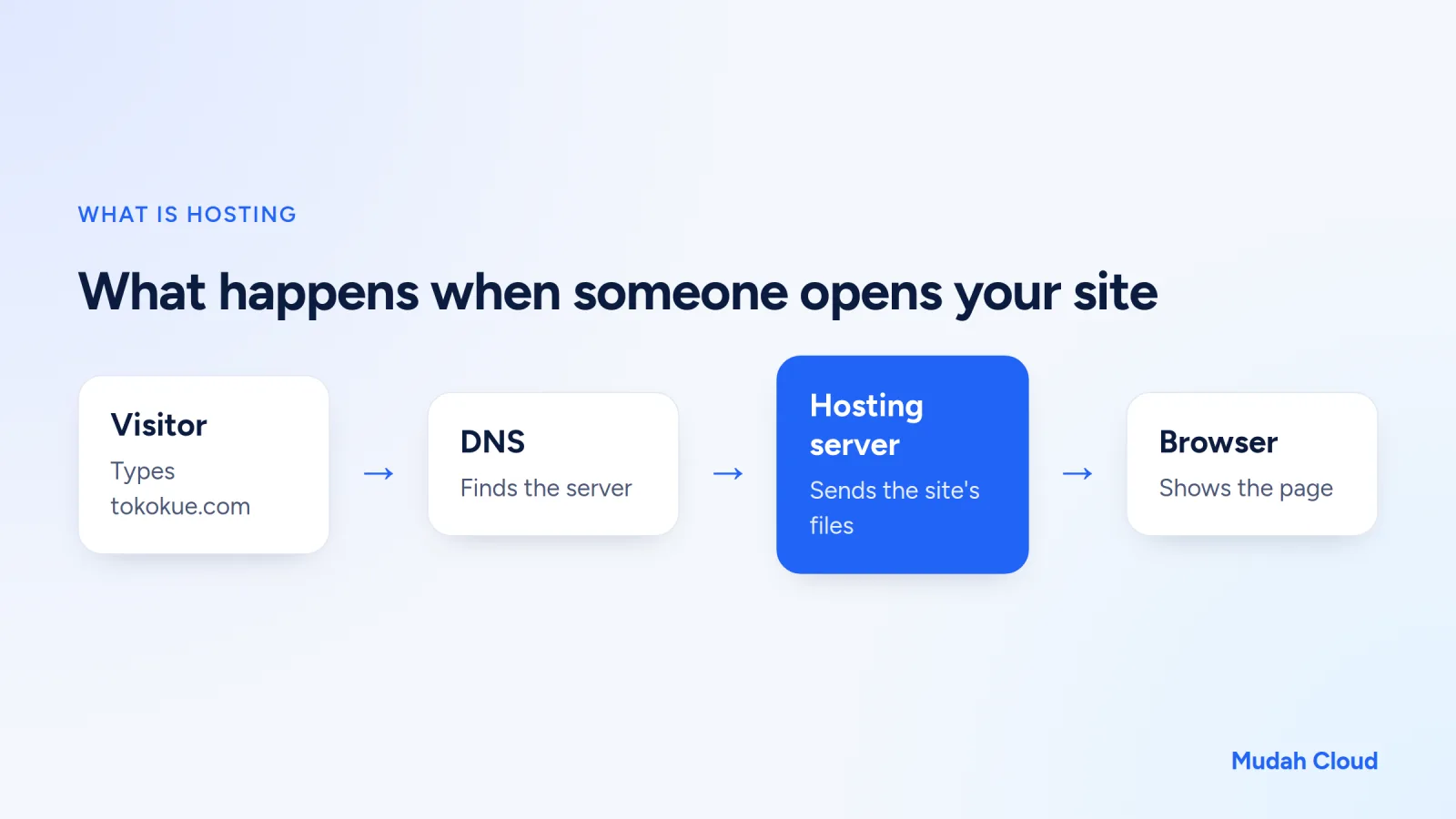
Hosting is a service where you rent space on a server that runs 24 hours a day and is connected to the internet, specifically to store your website's files. Those files can be HTML pages, product photos, an orders database, even email accounts. When someone types your website address, this hosting server is what sends the page to their browser.
The process goes roughly like this. A visitor types the domain name. The DNS system works out which server holds that website. The hosting server sends the files, and the browser assembles them into the page you see. All of that usually happens within seconds.
People often mix up domains and hosting. The simple version: the domain is the address, hosting is the building. You buy them separately and have to connect them. For a more detailed explanation, read hosting vs domain.
What comes in a hosting plan?
A hosting plan is more than just storage space. You usually also get:
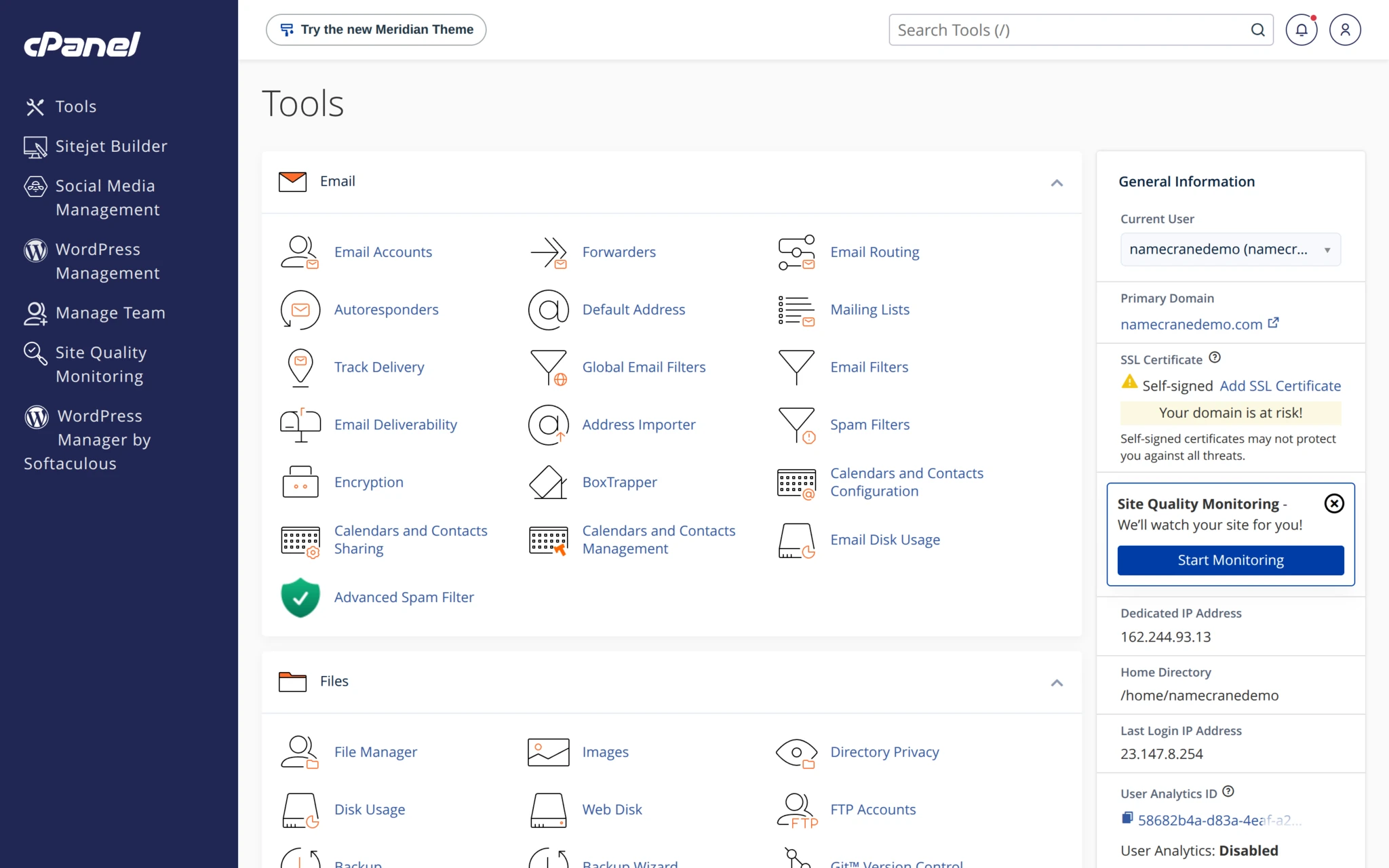
- A control panel, like cPanel or DirectAdmin, for managing files, databases, and email without typing technical commands.
- An app installer, such as Softaculous, for installing WordPress in a few clicks.
- Email accounts on your own domain name.
- An SSL certificate so your site opens over HTTPS.
- Regular backups.
That last one gets ignored until the day the site gets hacked or a file gets deleted. Only then do you realise how valuable backups are.
Some plans also include malware protection and caching like Redis to speed up sites that use a database. You may not need all of that right now, but it's nice to have it ready when your site starts getting busy.
Types of hosting
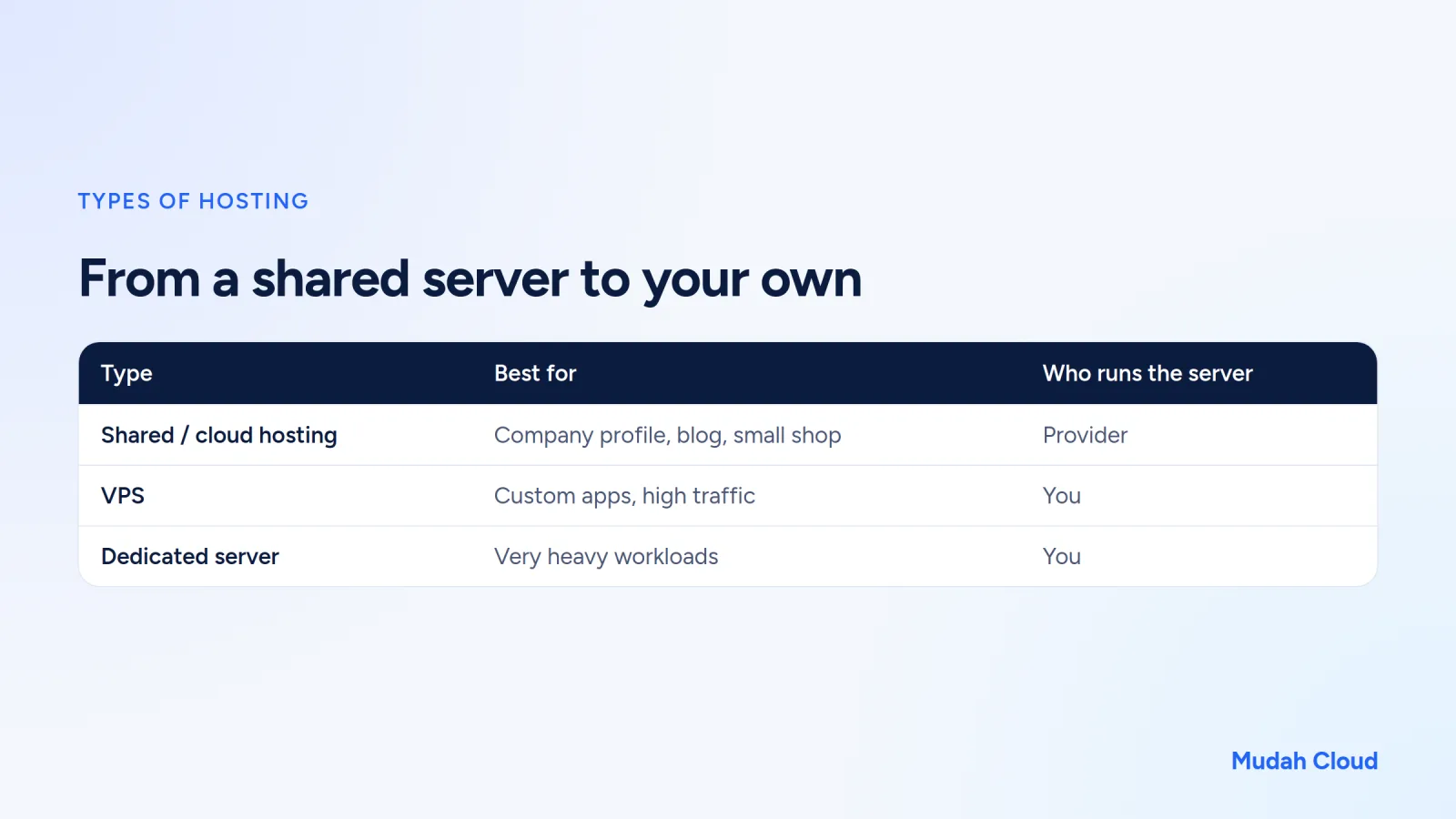
There are lots of terms, but it all comes down to one question: are you sharing a server with others, or do you have your own?
Shared hosting and cloud hosting
With shared hosting, one server is used by many websites. That keeps the cost low, and all the technical server work is handled by the provider. You just use the control panel. Cloud hosting works on a similar principle from the user's side, except the infrastructure is built on a cloud platform.
This type suits most small businesses: company profiles, blogs, small online stores, school websites. Market prices start at roughly ten to a few tens of thousands of rupiah a month.
VPS (Virtual Private Server)
A VPS is a virtual server with CPU, RAM, and disk allocated just for you. You get root access and can install whatever you want. The flip side is that you're also responsible for security, operating system updates, and configuration.
A VPS makes sense if you run an app that won't work on regular hosting, such as a custom Node.js app, or if your traffic is already heavy. There's a full explanation in what is a VPS, and a side-by-side comparison in VPS vs hosting.
Dedicated server
A whole physical machine for a single customer. It's usually used by companies with very heavy workloads or specific compliance needs. For UMKM (small and micro businesses), it's almost always overkill.
How to choose hosting without the headache
Spec tables full of numbers tend to make people hesitate. But a few things matter more than disk and bandwidth figures.
Server location
If most of your visitors are in Indonesia, a server in Indonesia or Singapore will feel faster than one in the US. The distance is shorter, so data has less far to travel.
Control panel
cPanel is widely known and there are plenty of tutorials for it. DirectAdmin is lighter and has a simpler interface. Both can install WordPress, create email, and manage databases. If you're unsure, our article on cPanel vs DirectAdmin covers the differences.
Backups and security
Ask how often backups are made and how long they're kept. Check whether there's malware protection too. People rarely think about these features when buying, but you'll notice them the moment something goes wrong.
Server speed
Web servers like LiteSpeed are known to be efficient for WordPress, especially paired with their cache plugin. The processor matters too, although not every provider lists it.
Support and payment
When your site goes down at nine at night right before a promo, you need support you can actually reach, ideally people who speak Indonesian as well as English. Paying in rupiah is also easier than paying in dollars by credit card.
Migration
If your site already lives somewhere else, ask whether the new provider will help move it. Moving WordPress yourself isn't hard, but it's easy to leave something behind, like email or DNS settings.
Terms you'll keep seeing on plan pages
When comparing plans, you'll run into the same handful of terms over and over. Here's what they mean in plain language.
Disk or storage is the capacity for files, databases, and email. A company profile site usually only needs a small slice of it, but email piling up with attachments can eat space quickly.
Bandwidth is the amount of data the server sends to visitors. More visitors and bigger images mean more bandwidth used. Compressing product photos before uploading saves bandwidth and makes pages faster at the same time.
Inodes are the number of files and folders. This limit is rarely discussed, yet a site with thousands of small images or a cache that never gets cleared can hit it before the disk limit.
Then there's CPU and RAM. On shared hosting, these figures show how much of the server's resources one account is allowed to use. If your site often slows down when it's busy, this is usually the limit being reached.
Example: hosting for a motorbike workshop
Pak Dodi runs a workshop in Sidoarjo. He wants a website with a list of services, rough service prices, a map location, and a WhatsApp button. He also wants an info@ email on his own domain so he looks more professional when sending quotes to rental companies.
None of that needs a VPS. One cloud hosting plan with cPanel or DirectAdmin is enough: WordPress installed through Softaculous, email created from the panel, SSL switched on. Once his domain points to the hosting using the guide on pointing a domain to hosting, he can set up addresses straight away with the guide on creating business email.
The total cost also turns out far lower than he expected. The full calculation is in how much a website costs.
So, what kind of hosting do you need?
Use this quick checklist:
- Is your site a profile, a blog, or a simple catalogue? Cloud hosting is enough.
- Need email on your own domain for a few people? cPanel or DirectAdmin hosting can create it.
- Running a custom app or bot, or need root access? Consider a VPS.
- Most visitors in Indonesia? Pick a server in Indonesia or Singapore.
- Don't want to deal with anything technical? Choose a plan that already includes SSL, backups, and migration.
Mudah Cloud's Cloud Hosting runs on LiteSpeed servers with AMD EPYC Genoa processors, free SSL, weekly backups, and free migration, with server locations in Singapore and Indonesia. You can choose cPanel hosting or DirectAdmin hosting, and both are managed from the same account. Compare the plans on the Cloud Hosting page, or look at VPS if your needs have already outgrown regular hosting.
Comments
No comments yet. Be the first to ask or share your experience.